> For the complete documentation index, see [llms.txt](https://onlyapes.gitbook.io/documentation/llms.txt). Markdown versions of documentation pages are available by appending `.md` to page URLs; this page is available as [Markdown](https://onlyapes.gitbook.io/documentation/social.md).
# Social
OnlyApes is not just a place to create, trade, and monitor memes. It's also a place where you can build your own social presence and interact with other community members directly on our site.
## Create Profile
You can create a username by going to the profile page indicated by the following icon: 
On the profile page you will see the "Verify Profile to Comment" button as indicated in the image below.
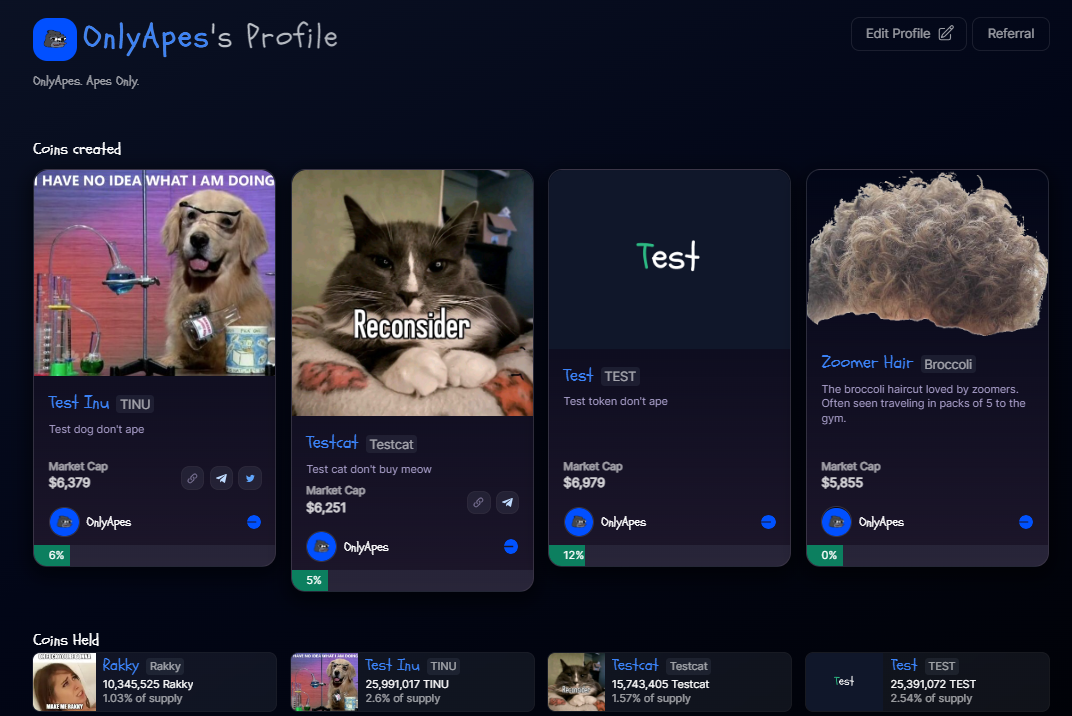
After verifying your profile, you can click "Edit Profile" to create a username. This username will be shown across the site including when you create coins, trade coins, and comment on the site. All profile pages show a user's created coins and held coins on OnlyApes.
Profile pages are a great way to show off your coins and check on what your friends are buying!
## Troll Box
OnlyApes also has a troll box that is easily accessible around the site by clicking the  icon.